

Motorola Software Fix – How to Restore Your Moto Device (Rescue & Smart Assistant)
Learn how to use Motorola Software Fix (formerly Rescue & Smart Assistant) to restore stock firmware on any Motorola, Moto, or Lenovo device. No manual firmware download needed — the tool fetches the correct firmware automatically. Covers Rescue and Repair modes, driver setup, and troubleshooting.
Pre-Flight Checklist
Complete ALL items before proceeding. Skipping any step increases the risk of bricking your device.
Guide Steps
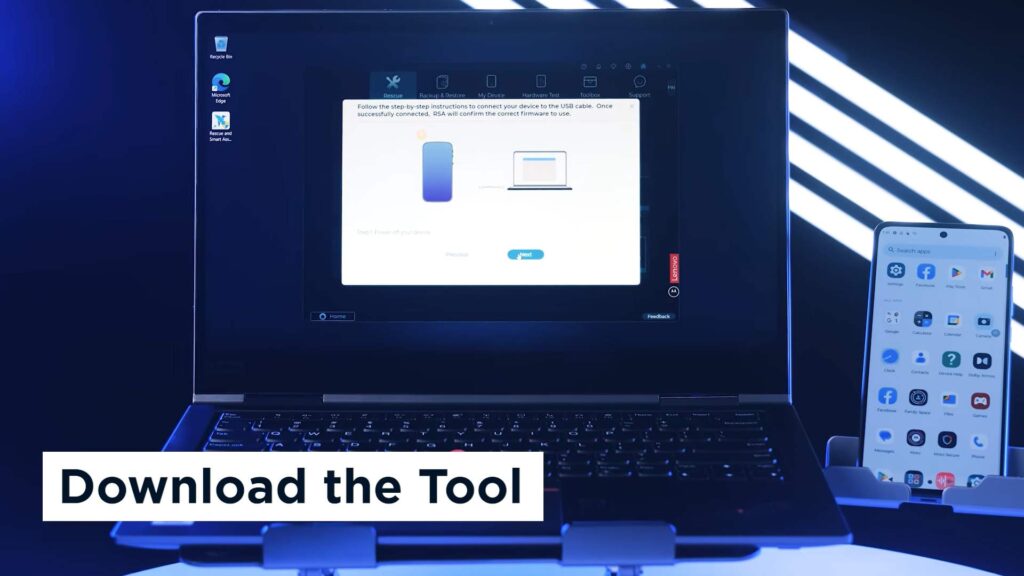
Download Motorola Software Fix from en-us.support.motorola.com/app/softwarefix. Run the installer as Administrator — it sets up Motorola USB drivers automatically.
If your device is still accessible, Software Fix includes a built-in backup feature. Connect your device via USB and grant USB Debugging and Device Help permissions when prompted.
The tool will display a list of data types available for backup (contacts, photos, messages, etc.). Select what you want to back up, set a password to protect the backup file, and let it complete before proceeding to rescue.
Open Software Fix and select your device category — choose Phones for a smartphone.
When prompted, select Input IMEI and enter your 15-digit IMEI number. To find your IMEI:
- Dial
*#06#on your device - Or go to Settings → About Phone → IMEI
- Or check the original device box or SIM tray label
Software Fix will identify your exact model and display the model number (e.g. XT2215-1). Verify this matches your device before continuing.
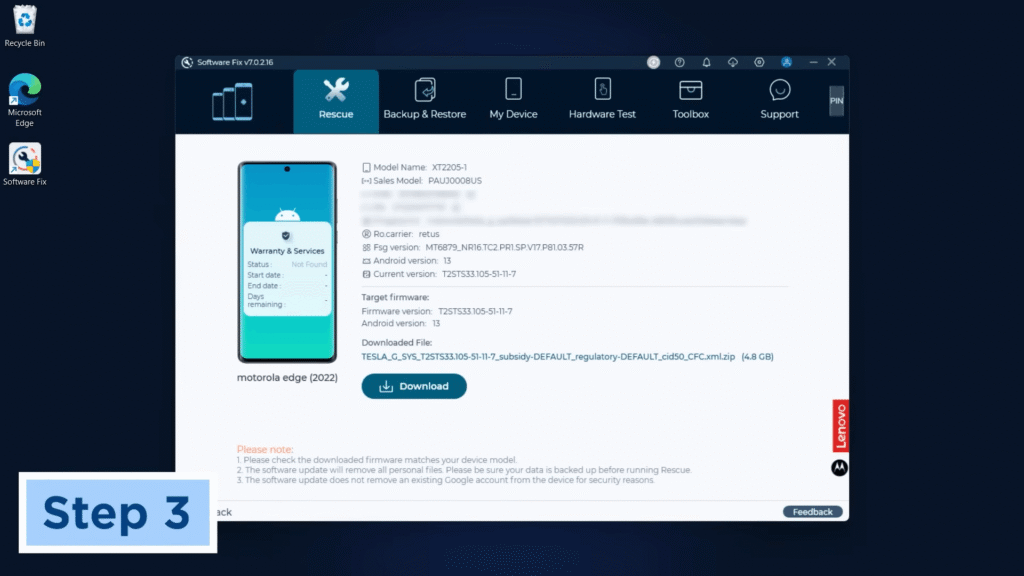
After confirming the model, click Download. Software Fix downloads the rescue firmware from Motorola's servers. Firmware packages are typically 2–4 GB in size.
A progress bar shows download and extraction status. Do not close the tool or lose your internet connection during this step.
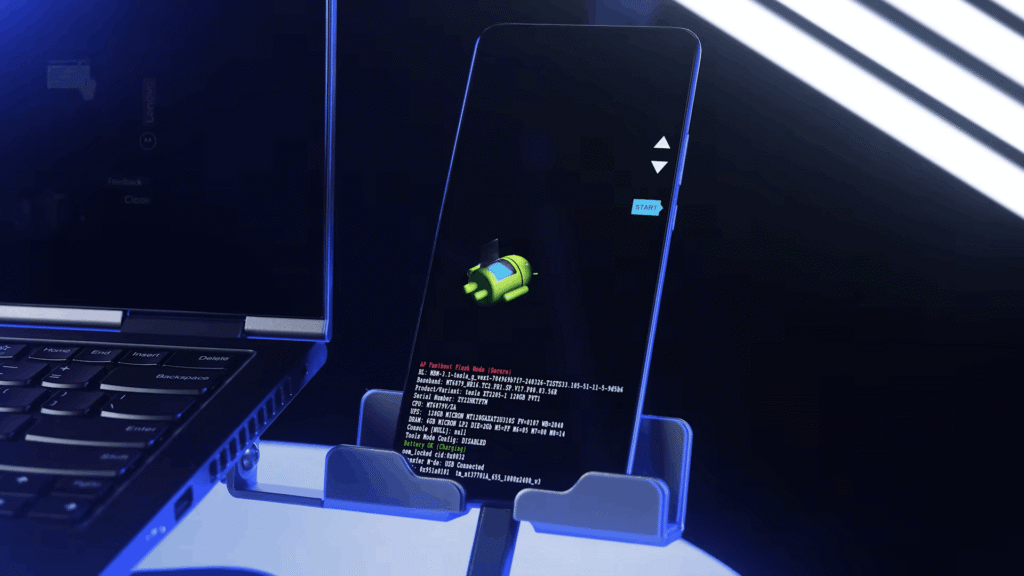
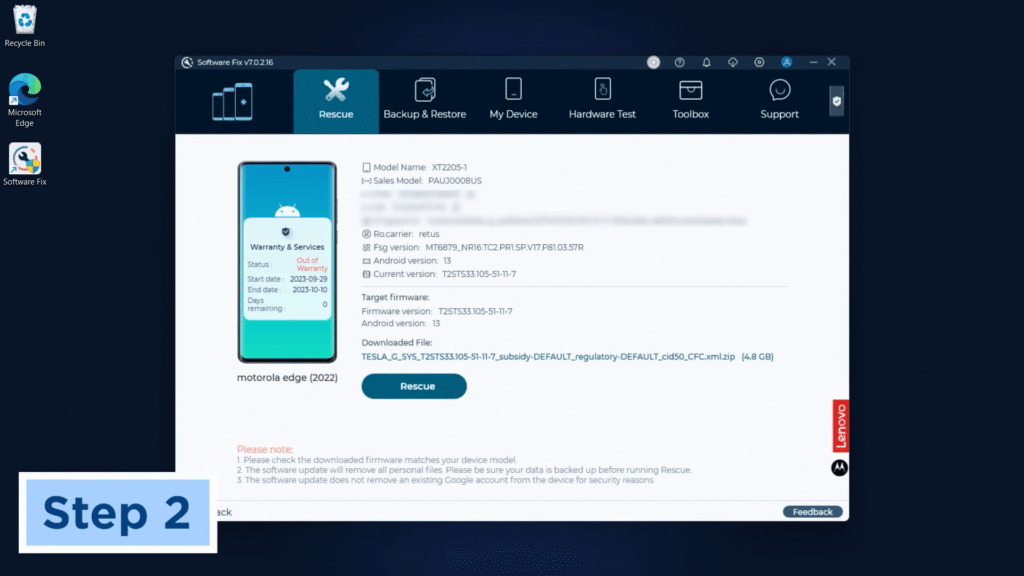
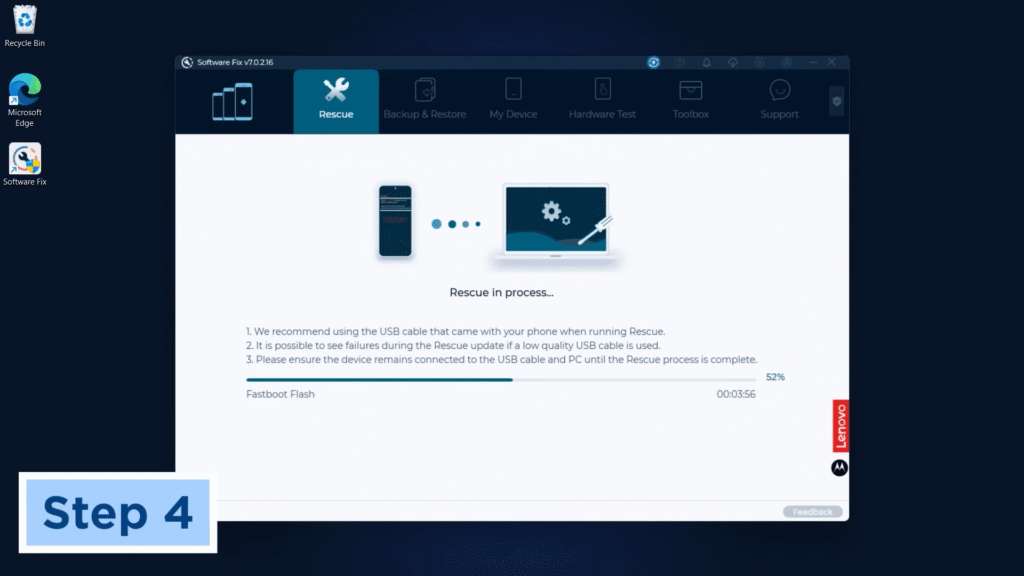
Once the firmware is downloaded and extracted, click the Rescue button. Software Fix will display step-by-step instructions for connecting your device — follow them carefully.
The tool reboots your device into bootloader/fastboot mode automatically and begins flashing each partition. Total flash time is typically 5–15 minutes.
When complete, Software Fix shows a Rescue Finished confirmation and the device reboots automatically into stock Android.
After the rescue, your device boots into the stock Android setup wizard as a fresh device. The first boot may take several minutes — this is normal.
Complete setup, sign into your Google account to restore backed-up data, and verify the firmware version at Settings → About Phone → Build Number.
Congratulations! Flash Successful!
You've successfully completed all steps. Your device should now be running the new firmware. If it's booting normally — you're done! Check the troubleshooting section below if you encounter any issues.
Troubleshooting & FAQ
Common errors and their solutions. Read this before asking for help.
Try these in order: enable USB Debugging on the device if accessible; connect in bootloader mode (hold Volume Down + Power until the bootloader screen appears); reinstall Motorola Device Manager for updated drivers; try a different USB cable and port (USB 2.0 preferred); run Software Fix as Administrator. For completely unresponsive phones, connect without pressing any buttons — Software Fix may still detect the device in EDL or bootloader state.
Software Fix downloads from Motorola's CDN, which can be slow on some connections. Switch to a wired ethernet connection for reliability. If downloads repeatedly fail, Motorola's servers may be under maintenance — wait and retry later. Ensure your firewall or antivirus is not blocking Software Fix.
Software Fix can rescue most soft bricks — bootloops, failed OTAs, and corrupted system partitions. For hard bricks where the bootloader is corrupt and the device shows nothing even in fastboot mode, Software Fix may not work. In that case, manual Fastboot flashing or EDL-based QFIL flashing (on Qualcomm Motos) may be required using factory images from Motorola's developer portal.
Yes — the rescue process flashes stock firmware and re-locks the bootloader by default. If you had a custom ROM or root and want to keep an unlocked bootloader after rescue, you will need to re-unlock via fastboot once the rescue is complete.
No — Motorola Software Fix is currently Windows only (Windows 10/11 64-bit). macOS support has been discontinued. Mac users will need to use a Windows PC or virtual machine, or use manual Fastboot flashing via Android Platform Tools, which is cross-platform.
They are the same tool. Motorola rebranded Rescue & Smart Assistant (MRSA) to Software Fix in early 2025. The new version adds IMEI-based device identification, a built-in backup/restore feature, and expanded support for Lenovo devices alongside Motorola and Moto. The core rescue process — automatic firmware download and flashing — remains the same.
Reference screenshots for this guide. Click any image to view full size.
Prioritize our guides in your Google search results.
No comments yet. Be the first to share your experience with this guide!