

Before you flash: Flashing firmware will erase all data on your device. Back up contacts, photos, and apps before proceeding. FlashGuideHub is not responsible for any damage caused by following this guide.
About the Huawei GR5 2017 / Mate 9 Lite
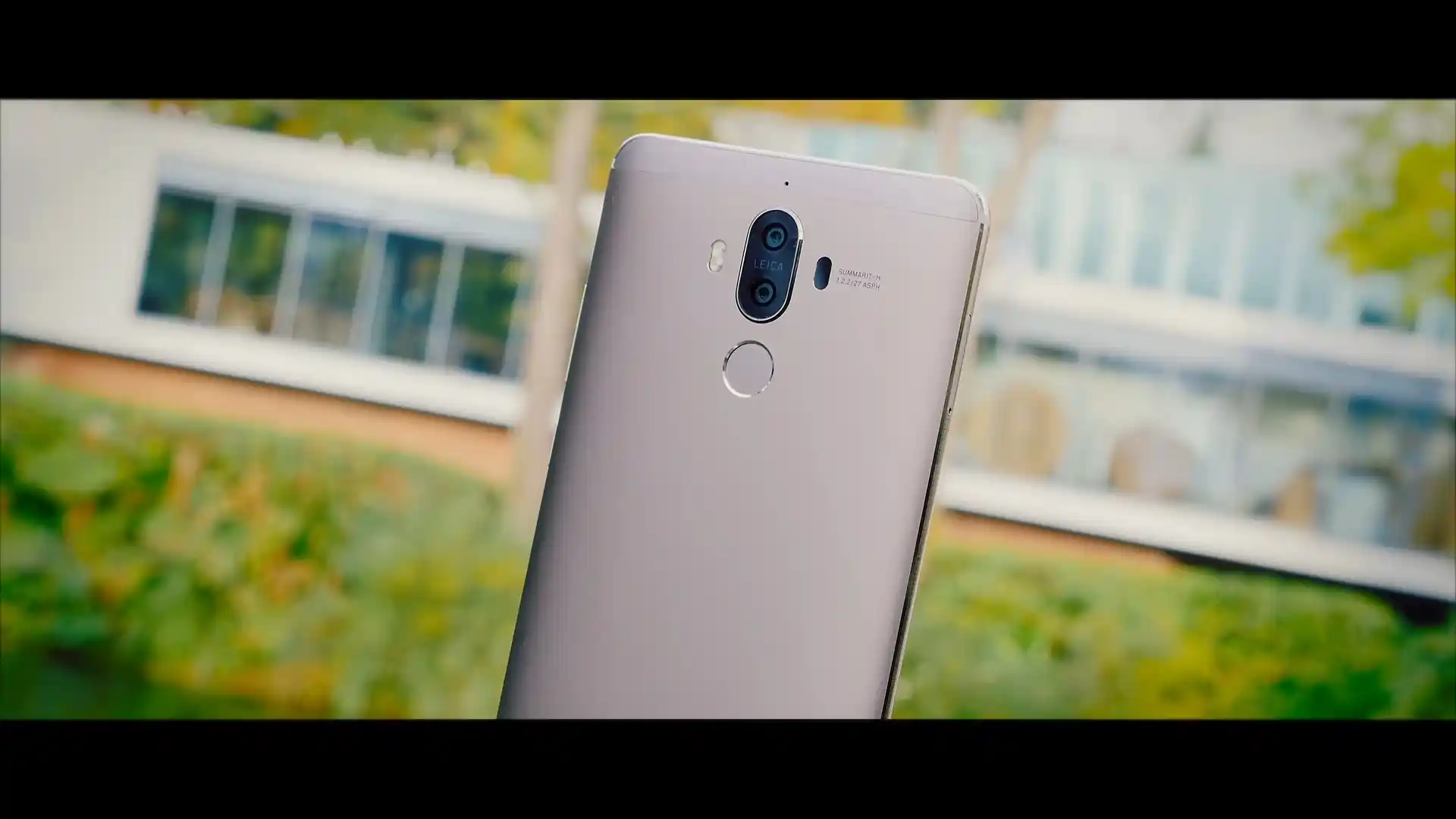
The Huawei GR5 2017 / Mate 9 Lite was launched in October 2016, powered by the HiSilicon Kirin 655 (16nm FinFET) platform. Known under model family BLL (hardware codename berlin), the phone combines a 5.5-inch 1080p Full HD display, up to 4GB of RAM, and dual rear camera sensors.
Flashing official stock firmware recovers phones from bootloops, unbricks damaged partition structures, and restores clean factory EMUI 5.0 software. Follow the verified package downloads and step-by-step restoration instructions below to flash your handset safely.
Which Flash Mode Should You Use?
Huawei Dload 3-Button (microSD Method)
Standard offline installation method using UPDATE.APP on a FAT32-formatted microSD card.
Huawei eRecovery (Wi-Fi OTA Download)
Emergency Wi-Fi restoration directly from Huawei recovery servers when the system will not boot.
Fastboot & Rescue Mode
Bootloader diagnostic interface used to check FRP/OEM lock states, verify build tags, and check battery status.
Pre-Flash Setup & Memory Card Requirements
Charge the 3340mAh battery to at least 50% (minimum 3.7V) to prevent unexpected shutdown during eMMC partition writing.
Prepare a genuine 4GB to 32GB microSD card formatted cleanly to FAT32 MBR and create a root directory titled "dload".
Decompress the downloaded firmware archive on PC and copy UPDATE.APP directly into the dload folder on your card.
Use an authentic microUSB 2.0 cable connected directly to a rear PC motherboard USB port for eRecovery or board flashing.
Verify that your package regional cust (C636 Asia, C730 Latin America, C185 Middle East) matches your original oeminfo.
5-Step Huawei 3-Button Dload Walkthrough
A condensed step-by-step summary specific to the Huawei GR5 2017 / Mate 9 Lite. Follow the full Huawei UPDATE.APP guide for screenshots, an interactive progress checklist, and complete troubleshooting.
-
Verify Huawei GR5 2017 model and matching regional cust code
-
Extract Huawei_GR5_2017_Berlin-L22_C636B393_Firmware_Android_7.0_EMUI_5.0.3_05014CFP_Dload.zip to PC
-
Format microSD card to FAT32 MBR and create root dload folder
-
Insert microSD card into hybrid tray and power down handset
-
Hold Volume Up + Volume Down + Power to trigger EMUI update
Firmware Package & Architecture for Kirin 655
Official stock firmware packages for the Huawei GR5 2017 and Mate 9 Lite (berlin) are distributed as UPDATE.APP container archives for on-device dload SD card recovery, or as factory HMT Board Software packages for emergency test point repair.
UPDATE.APP
Huawei GR5 2017 firmware packages contain an UPDATE.APP container for microSD card recovery installations, or factory board software for low-level HiSilicon repair.
The Huawei GR5 2017 is built on the 16nm HiSilicon Kirin 655 platform under development codename berlin (models BLL-L21, BLL-L22, and BLL-L23). Flashing via dload does not require an unlocked bootloader, but the package custody code (such as C636 for South East Asia, C730 for Latin America, or C185 for Middle East) must match the device factory oeminfo signature.
Verified Firmware Releases (Huawei GR5 2017 / berlin)
Official stock firmware downloads for the Huawei GR5 2017 / Mate 9 Lite. Verify your hardware model variant before downloading.
| Version | Region | Android Version | Size | MD5 | Download |
|---|---|---|---|---|---|
C636B393 — BLL-L22 South East Asia Retail |
South East Asia (C636) | Android 7.0 (EMUI 5.0.3) | 2.69GB | — | ⬇️ Download |
C730B112 — BLL-L23 Latin America Retail |
Latin America / Colombia (C730) | Android 6.0 (EMUI 4.1.3) | 1.98GB | — | ⬇️ Download |
C185B382 — BLL-L21 Middle East & Africa Retail |
Middle East & Africa (C185) | Android 7.0 (EMUI 5.0.4) | 2.49GB | — | ⬇️ Download |
C10B383 — BLL-L21 Russia & Central Asia Retail |
Russia & Uzbekistan (C10) | Android 7.0 (EMUI 5.0.1) | 1.63GB | — | ⬇️ Download |
Need another regional variant, EMUI 4.1.3 rollback, or emergency board dump? Browse all 21 Huawei GR5 2017 & Mate 9 Lite firmware packages on AndroidFirmwareFile.com →
Kirin 655 Architecture & Partition Notes
The Huawei GR5 2017 features a 3340 mAh non-removable battery and 32GB or 64GB of internal eMMC 5.1 storage. Performing an official 3-button dload installation restores stock system, boot, and cust partitions while resolving software-induced bootloops.
For hard-bricked devices where the screen remains blank and Fastboot cannot be reached, shorting the motherboard hardware test points allows HiSilicon USB COM tools to write factory board software directly to internal flash memory.
Troubleshooting Huawei GR5 2017 Flashing Errors
Software install failed at 5% (Cust Regional Mismatch)
Occurs when attempting to flash a package whose regional cust code does not match the factory oeminfo signature (e.g. attempting to install C432 onto a C636 or C185 device). Boot into Fastboot mode and run "fastboot oem get-build-number" to verify your exact custody code before downloading.
MicroSD Card Unrecognized: "Software install failed - Get online help"
Stock EMUI recovery cannot read memory cards formatted with exFAT or GPT partition tables, or cards larger than 32GB formatted with improper cluster size. Format a 4GB to 32GB microSD card strictly to FAT32 with Master Boot Record (MBR) and 32KB cluster allocation.
HiSilicon USB COM 1.0 Handshake Dropout during Test Point Connection
When shorting test points on the berlin motherboard, driver communication drops if Huawei USB COM 1.0 drivers are missing or USB 3.0 controller timing jitter occurs. Connect directly to a native rear USB 2.0 port and install signed HiSilicon USB COM drivers.
Battery Voltage Cutoff: Red LED blinking and immediate power down
The power management controller enforces a strict 30% battery threshold before initiating partition write routines. If battery voltage drops below 3.65V, the PMIC halts flashing to prevent eMMC corruption. Charge the phone for at least 45 minutes using a 5V/2A wall charger before attempting dload updates.
Encountering issues during flashing? Review these verified workshop troubleshooting notes for the HiSilicon Kirin 655 platform. Troubleshooting & Common Errors →
Frequently Asked Questions About Flashing GR5 2017
No. While the Honor 6X and Huawei GR5 2017 share the same Kirin 655 motherboard architecture, they utilize different cryptographic OEM identifiers in the oeminfo partition. Attempting to install BLN firmware onto a BLL device will trigger a "Software Install Failed" error at 5% during recovery verification. Cross-flashing across brands can also permanently invalidate cellular radio calibration and lock the bootloader in an unrecoverable state.
The Kirin 655 uses eight ARM Cortex-A53 cores organized in a big.LITTLE arrangement (four cores at 2.1 GHz and four efficiency cores at 1.7 GHz) built on TSMC 16nm FinFET process. The chipset runs relatively cool during partition writes, but keeping the phone resting on a flat, uninsulated surface prevents thermal throttling while extracting large compressed system images.
Board software (HL2BLNTMBD001051) is intended strictly for emergency hardware repair when a Huawei GR5 2017 is hard-bricked, completely unresponsive, and fails to register in fastboot or recovery mode. Flashing requires opening the metal back cover and shorting the motherboard test point to ground while inserting the USB cable to force the HiSilicon USB COM / emergency download handshake.
The European and Middle Eastern BLL-L21 supports LTE bands 1, 3, 7, 8, and 20; the Asian BLL-L22 covers bands 1, 3, 5, 7, 8, 28, and 40; while the Latin American BLL-L23 focuses on bands 2, 4, 5, 7, and 28. Because baseband NVRAM filtering is hardware-calibrated, flashing mismatched regional firmware can cause missing 4G bands or "No Service" errors.
Ready to Flash?
Follow the full step-by-step Huawei UPDATE.APP guide with interactive progress tracking, prerequisite checklist, and complete troubleshooting.