

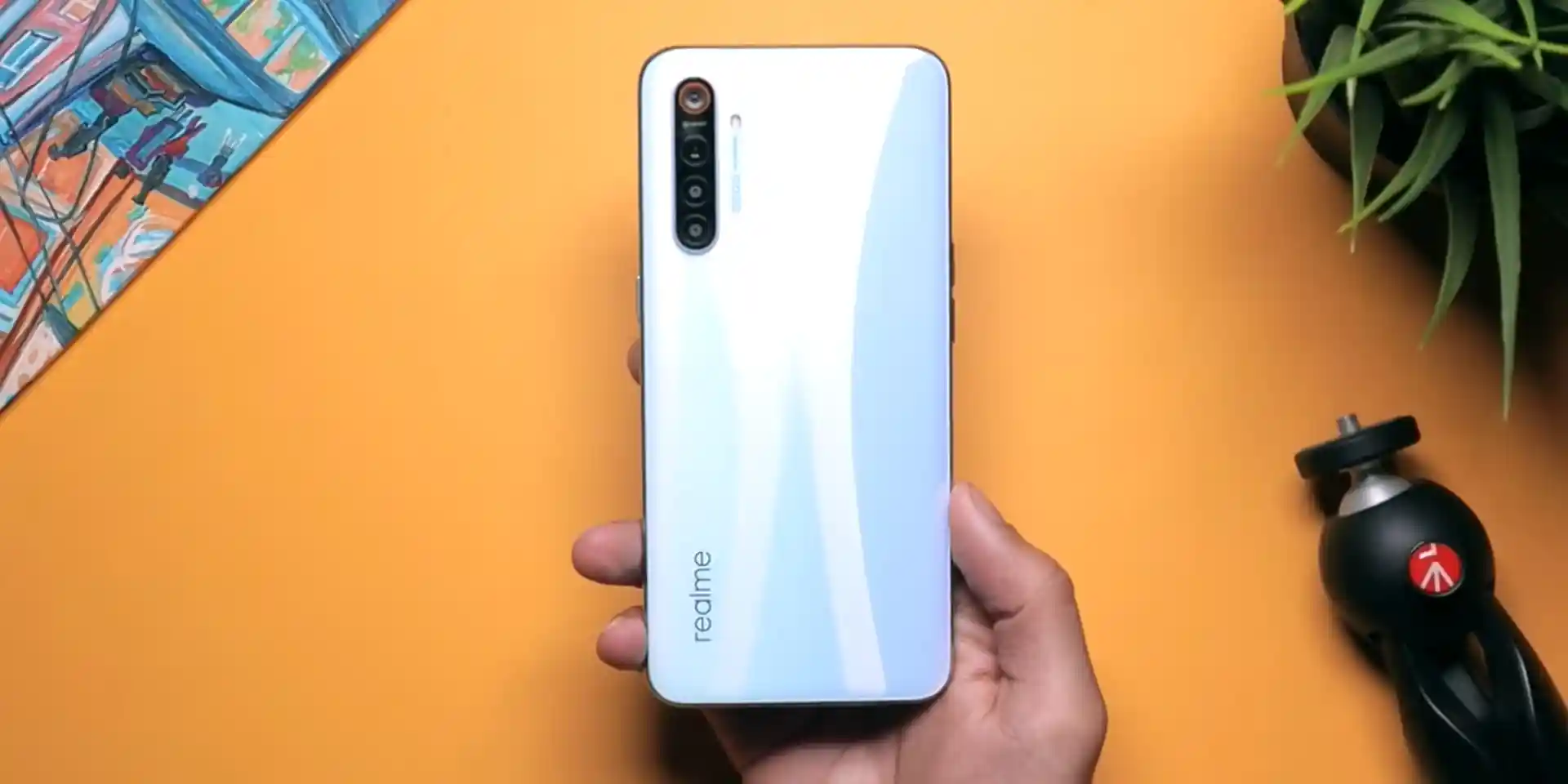
Before you flash: Flashing firmware will erase all data on your device. Back up contacts, photos, and apps before proceeding. FlashGuideHub is not responsible for any damage caused by following this guide.
About the Realme X2
The Realme X2 (Qualcomm Snapdragon 730G platform) is flashed using Qualcomm Emergency Download (EDL 9008) packages. Flashing via EDL completely rewrites all raw partition sectors, unbricking devices stuck in 9008 mode or bootloops without requiring an unlocked bootloader.
Because the Realme X2 was sold across three primary regional variants — China (RMX1991), India/Global (RMX1992), and Europe (RMX1993) — matching your exact model number is essential to preserve correct modem baseband calibration, LTE Band 20, and NFC functionality.
Which Flash Mode Should You Use?
Qualcomm EDL 9008 Mode (MSM Download Tool)
The official factory flashing method for Realme X2 OFP firmware packages. Operates through Qualcomm Primary Boot Loader (PBL) over USB COM port 9008 and does not require an unlocked bootloader. Erases all user data.
OPlus EDL Tool / Open-Source Python EDL
An open-source alternate flashing procedure that extracts rawpartition XMLs from OFP packages via oppo_decrypt, bypassing the authorized account login requirement of newer MSM Download Tool versions.
SP Flash Tool (Not Applicable)
SP Flash Tool is exclusive to MediaTek processors and cannot communicate with the Qualcomm Snapdragon 730G (SM7150-AB) platform used in the Realme X2. Do not attempt to load scatter files on this device.
What You Need Before Flashing
MSM Download Tool and Qualcomm QDLoader drivers require Windows 7, 8, 10, or 11 (64-bit recommended).
Verify your hardware variant (RMX1991, RMX1992, or RMX1993) before downloading. Flashing an incompatible region causes modem failure.
Connect directly to a motherboard USB 2.0 port to prevent Sahara handshake timeouts common with USB 3.0 hubs.
EDL flashing draws power from the battery. A low battery can shut the device down mid-write, leading to a corrupt UFS state.
MSM Download Tool formats internal UFS partitions. Back up contacts, media, and critical documents prior to flashing.
How to Flash the Realme X2 — Quick Overview
A fast reference for flashing the Realme X2 (Snapdragon 730G) using MSM Download Tool. For the complete walkthrough with images and error troubleshooting, see the full guide.
-
Confirm your hardware model number
-
Install Qualcomm USB drivers and flashing suite
-
Download the matched OFP firmware archive
-
Connect in Qualcomm Emergency Download (EDL 9008) mode
-
Verify COM port and execute flashing
-
Reboot and complete initial setup
Understanding the Firmware Package for Snapdragon 730G
Firmware packages for the Realme X2 are distributed as .ofp container files or extracted Qualcomm factory packages containing prog_firehose_ddr.elf (the SM7150 programmer), rawprogram0.xml through rawprogram5.xml, and patch0.xml through patch5.xml files. There is no scatter file; that format is exclusive to MediaTek devices. In official tools, MSM Download Tool reads the OFP container directly and verifies project authentication before streaming partition images to the UFS storage.
Realme X2 Firmware Versions
Representative Android 11 firmware builds for each confirmed regional model of the Realme X2. Always check your hardware variant before flashing.
| Version | Region | Android Version | Size | MD5 | Download |
|---|---|---|---|---|---|
RMX1993_11_F.26 |
RMX1993 — Europe / UK / EEA (realme UI 2.0) | Android 11 | 3.27 GB | — | ⬇️ Download |
RMX1992_11_F.26 |
RMX1992 — Global / India (realme UI 2.0) | Android 11 | 3.78 GB | — | ⬇️ Download |
RMX1991_11_F.23 |
RMX1991 — China Domestic (realme UI 2.0) | Android 11 | 3.8 GB | — | ⬇️ Download |
This device family has 28 known files across RMX1991, RMX1992, and RMX1993. See the complete archive on AndroidFirmwareFile.com →
Common Errors on the Realme X2
Sahara Communication Failed / Handshake Timeout
The device exited EDL mode due to driver communication delays or power loss. Use a dedicated rear USB 2.0 port, reseat the Type-C cable, and ensure the Qualcomm QDLoader driver is signed and active in Device Manager.
Target Project Not Matched (Project ID Mismatch)
The firmware package's project identifier does not match your phone's internal board ID (e.g., attempting to flash China RMX1991 onto Global RMX1992). Verify your model using *#899# and download the appropriate regional package.
Device shows up as QUSB_BULK in Device Manager
Windows detected the phone in EDL mode but could not locate the proper driver. Install the official 64-bit Qualcomm HS-USB QDLoader 9008 driver package manually.
Stuck in bootloop on realme logo after EDL flash
Corrupted userdata from mismatched encryption tags across major Android version upgrades. Boot into Recovery mode (Volume Down + Power) and execute "Wipe data / Format data" to reset the partition encryption.
For additional MSM error codes and troubleshooting walkthroughs: MSM Download Tool Error Directory →
Frequently Asked Questions — Realme X2
This indicates a protocol handshake timeout between the PC and the SM7150 SoC. Disconnect the USB cable, hold Volume Up and Power for 15 seconds to force the phone out of the hung EDL state, switch to a USB 2.0 port directly on the motherboard, and reconnect.
Official releases from ColorOS 6 and early realme UI 1.0 contain older MSM Download Tool builds that work with offline crack loaders. For realme UI 2.0 (Android 11) packages that enforce server-side SLA authentication, you must either use an authorized Realme account or unpack the OFP package using open-source Python tools (oppo_decrypt) and flash via OPlus EDL Tool.
Cross-flashing between RMX1992 and RMX1993 is strongly discouraged. The RMX1992 variant lacks physical NFC calibration, and its modem configuration misses LTE Band 20 (800 MHz), leading to dropped calls, persistent baseband errors, and broken contactless payments.
Boot into stock recovery (Power + Volume Down). Select "English", look at the bottom of the screen where "Ver 1.2" or similar text is shown, and tap that text box 5 to 7 times. A dialog will prompt "Do you want to enter download mode?". Tap OK to reboot straight into Qualcomm 9008 mode.
Ready to Flash?
Follow the full step-by-step MSM Download Tool guide with interactive progress tracking, prerequisite checklist, and complete troubleshooting.