

Before you flash: Flashing firmware will erase all data on your device. Back up contacts, photos, and apps before proceeding. FlashGuideHub is not responsible for any damage caused by following this guide.
About the Xiaomi Mi A1 (Android One)
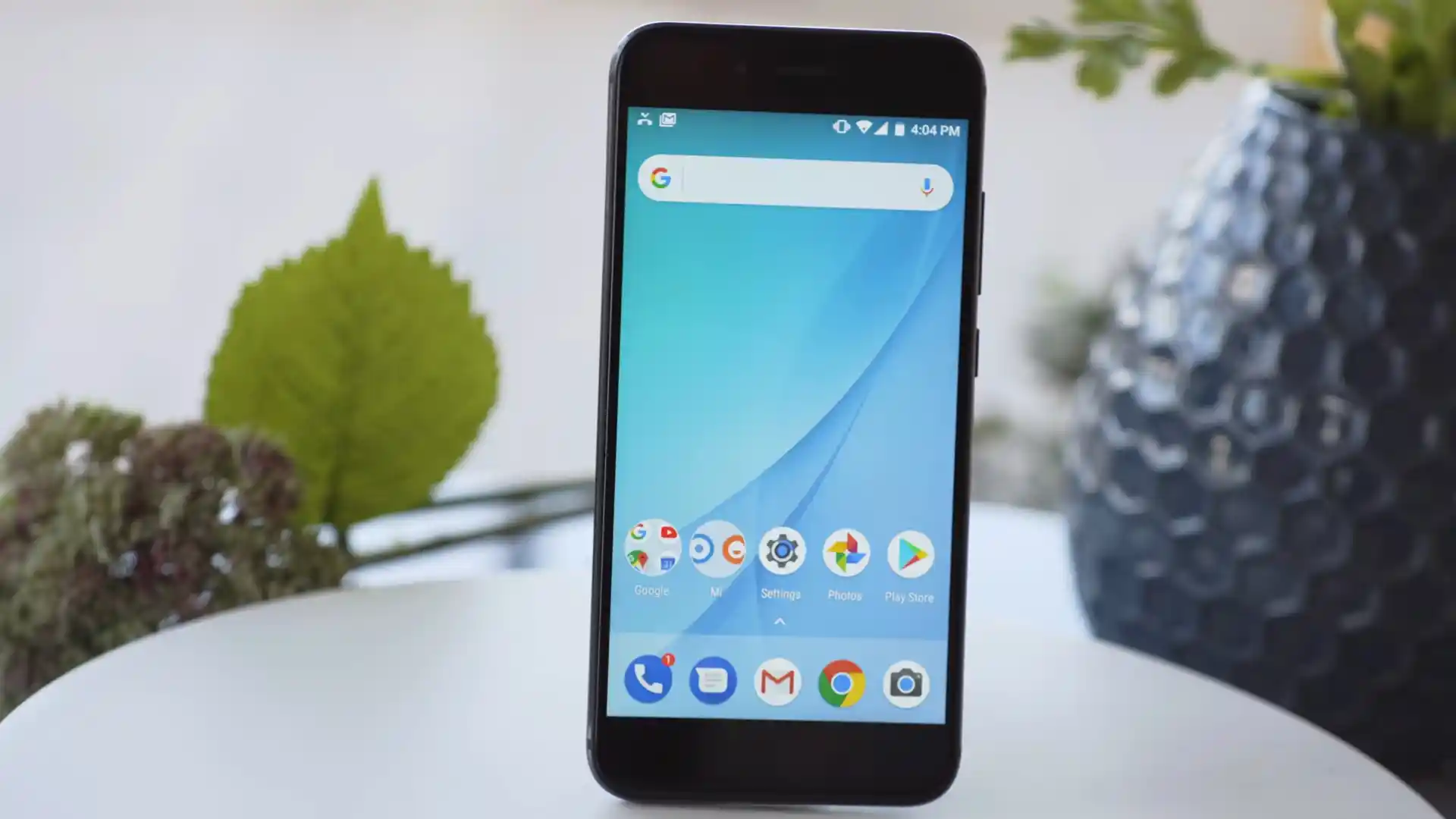
The Xiaomi Mi A1 (Android One) (codename: tissot) launched in September 2017 as Xiaomi's first Google Android One handset on Qualcomm's Qualcomm Snapdragon 625 MSM8953 (14nm) chip with A/B Seamless Update partitions.
Whether you need to unbrick a dead phone via EDL 9008 with tissot_images_V10.0.9.0.PDHMIXM_20190514.0000.00_9.0_3ded3e7b82.tgz or install OrangeFox-R11.3_1-tissot.zip across slot_a and slot_b, follow the steps below.
Which Flash Mode Should You Use?
Mi Flash Tool (Fastboot or EDL 9008 Mode)
Restores full factory Android One partitions (boot_a/b, system_a/b, modem) via flash_all.bat (unlocked) or Qualcomm 9008 Firehose (locked/bricked).
Stock Recovery ADB Sideload (OTA ZIP)
Installs signed Android 9.0 cumulative OTA packages like miui_TISSOT_V10.0.24.0.PDHMIXM_bcbbe1fad4_9.0.zip on locked or unlocked units without full wipe.
TWRP / OrangeFox Dual-Slot A/B Installation
Boot twrp-3.7.0_9-0-tissot.img via "fastboot boot" into RAM, then flash twrp-installer-3.7.0_9-0-tissot.zip or OrangeFox-R11.3_1-tissot.zip across both slots.
Essential Setup Before Flashing Xiaomi Mi A1 (tissot)
Enable OEM Unlocking in Developer Options and run "fastboot oem unlock" (no Xiaomi account wait on Android One); or use EDL 9008 if dead.
Install Google Android Bootloader and Qualcomm QDLoader 9008 drivers on 64-bit Windows before connecting.
Connect straight into a rear motherboard USB 2.0 socket for stable Fastboot, ADB Sideload, and EDL 9008 detection.
Ensure solid charge on the 3,080 mAh battery before writing dual A/B partitions or opening for test points.
Both "fastboot oem unlock" and flash_all.bat wipe internal eMMC storage clean. Save personal files off the device first.
Mi Flash, EDL 9008 & A/B OTA Walkthrough for tissot
A fast reference for flashing the Xiaomi Mi A1 (Android One) (Snapdragon 625) using Mi Flash Tool. For the complete walkthrough with images and error troubleshooting, see the full guide.
-
Install 64-bit Mi Flash Tool, Platform-Tools, and Qualcomm HS-USB QDLoader 9008 drivers
-
Extract tissot_images_V10.0.9.0.PDHMIXM_20190514.0000.00_9.0_3ded3e7b82.tgz twice to C:\tissot_fw\
-
Unlock with "fastboot oem unlock" (or boot EDL 9008 via adb / test points if locked)
-
Point Mi Flash Tool to C:\tissot_fw\, confirm "clean all", and allow A/B writes to finish
-
Optionally sideload miui_TISSOT_V10.0.24.0.PDHMIXM_bcbbe1fad4_9.0.zip for final Dec 2020 patches
Finding flash_all.bat & 8953 Firehose Files in Snapdragon 625 Packages
Official Xiaomi Mi A1 Fastboot archives arrive as double-compressed .tgz files. Unpacking twice with 7-Zip reveals flash_all.bat at the outer level beside the images directory holding rawprogram0.xml, patch0.xml, boot.img, and prog_emmc_firehose_8953_ddr.mbn:
flash_all.bat
Extracting tissot_images_V10.0.9.0.PDHMIXM_20190514.0000.00_9.0_3ded3e7b82.tgz twice with 7-Zip exposes flash_all.bat at the outer level beside the images directory holding rawprogram0.xml and prog_emmc_firehose_8953_ddr.mbn. Point Mi Flash Tool to the outer folder.
Codename tissot (MDG2 / MDI2) covers ONLY the Google Android One Mi A1 with A/B partitions. Never flash China MIUI software meant for the Xiaomi Mi 5X (tiffany).
Point Mi Flash Tool at the outer folder containing flash_all.bat (e.g. C:\tissot_fw\), never inside the images directory.
Keep "clean all" active; never run "fastboot flash recovery" on tissot — always use "fastboot boot twrp-3.7.0_9-0-tissot.img" first.
Xiaomi Mi A1 (Android One) Firmware Versions
Tested Android 9.0 Pie Fastboot & Dec 2020 OTA builds alongside Official TWRP 3.7.0 and OrangeFox R11.3_1 for the Xiaomi Mi A1 (Android One) (tissot). Browse the full archive below for the V10.0.9.0 baseline Recovery ZIP.
| Version | Region | Android Version | Size | MD5 | Download |
|---|---|---|---|---|---|
V10.0.9.0.PDHMIXM |
Global Android One (MI) — Final Fastboot | Android 9.0 (Pie), May 2019 | 1.54 GB | 3ded3e7b82097f27ddf176e0399fceba |
⬇️ Download |
V10.0.24.0.PDHMIXM (OTA) |
Global Cumulative Recovery ZIP (Dec 2020) | Android 9.0 (Pie), Dec 2020 | 1.08 GB | bcbbe1fad4880f15eaea5468906358cd |
⬇️ Download |
TWRP 3.7.0_9-0 (Boot IMG) |
Official TeamWin Bootable Image (tissot) | fastboot boot RAM IMG | 30.87 MB | d585842681f2c378c4fb05c87c1eb851 |
⬇️ Download |
TWRP 3.7.0_9-0 (Installer ZIP) |
Official Persistent A/B Installer | Dual-Slot boot_a/boot_b ZIP | 30.49 MB | 95b1c996b6939648d60ed3969db0a24c |
⬇️ Download |
OrangeFox R11.3_1 Stable |
Official OrangeFox A/B ZIP (tissot) | Dual-Slot boot_a/boot_b ZIP | 63.82 MB | e5580504d11a8c9e9d9fada42e206443 |
⬇️ Download |
Browse all 6 Android One Pie, TWRP & OrangeFox packages for Mi A1 on AndroidFirmwareFile.com → View full archive on AndroidFirmwareFile.com →
Fastboot, ADB Sideload & Dual-Slot TWRP / OrangeFox
The Xiaomi Mi A1 (codename tissot, models MDG2 / MDI2) runs pure Google Android One on Qualcomm's Snapdragon 625 (MSM8953) with dual A/B Seamless Update slots. With tissot_images_V10.0.9.0.PDHMIXM_20190514.0000.00_9.0_3ded3e7b82.tgz, locked or bricked phones recover through Qualcomm EDL 9008 while unlocked units restore cleanly via Fastboot.
After flashing V10.0.9.0.PDHMIXM, install miui_TISSOT_V10.0.24.0.PDHMIXM_bcbbe1fad4_9.0.zip via stock Recovery ADB Sideload for December 2020 security patches — or boot twrp-3.7.0_9-0-tissot.img in RAM to flash twrp-installer-3.7.0_9-0-tissot.zip or OrangeFox-R11.3_1-tissot.zip across both A/B slots.
Fixing Mi A1 (tissot) A/B Partition, OEM Lock & Driver Errors
Fastboot Output: "FAILED (remote: Partition flashing is not allowed)"
Triggered when flash_all.bat runs against a locked Mi A1. If Android still boots, enable OEM Unlocking in Developer Options and run "fastboot oem unlock"; if soft-bricked/locked, enter Qualcomm EDL 9008 mode via the two motherboard test points and flash via Mi Flash COM port.
Terminal Rejection: "FAILED (remote: partition table doesn't exist)" on fastboot flash recovery
Android One Mi A1 uses A/B dual slots and lacks a legacy /recovery partition completely. Never run "fastboot flash recovery". Run "fastboot boot twrp-3.7.0_9-0-tissot.img" into temporary RAM instead, then flash twrp-installer-3.7.0_9-0-tissot.zip or OrangeFox-R11.3_1-tissot.zip.
Device Manager Alert: "QHSUSB_BULK" Yellow Exclamation
Windows spotted the Snapdragon 625 emergency port without signed Qualcomm 9008 drivers. Run Mi Flash Tool -> Driver -> Install on 64-bit Windows (or temporarily disable Driver Signature Enforcement) until QDLoader 9008 registers under Ports (COM & LPT).
Mi Flash Dialog: "Cannot found file flash_all.bat" or Path Too Deep
Occurs if Mi Flash Tool points at a single-extracted .tar intermediate archive, a folder path containing spaces, or inside the nested images directory. Extract twice using 7-Zip directly into C:\tissot_fw\ and pick that outer folder.
Need help troubleshooting another A/B Fastboot or Qualcomm code? Mi Flash & Fastboot A/B Error Directory →
OEM Unlocking, Slot Switching, Boot Patching & /persist Q&A
Because the Mi A1 (tissot) ships with Google's clean Android One bootloader instead of MIUI, Xiaomi cloud binding checks do not apply. Simply turn on OEM Unlocking in Developer Options, boot to the bootloader screen (Volume Down + Power), and execute "fastboot oem unlock" cleanly — noting that unlocking erases user data immediately.
Yes — the 2017 Snapdragon 625 platform inside tissot accepts unauthenticated Qualcomm QDLoader 9008 flashing (prog_emmc_firehose_8953_ddr.mbn) without Xiaomi service login. Meanwhile, if an OTA update leaves your device looping on only one A/B slot, running "fastboot --set-active=a" (or "b") frequently brings the working prior slot back up immediately.
Unlike single-slot Xiaomi phones, Android One tissot places its recovery ramdisk directly inside the active boot image rather than having a standalone recovery block. You temporarily launch "fastboot boot twrp-3.7.0_9-0-tissot.img" into RAM first, then install twrp-installer-3.7.0_9-0-tissot.zip or OrangeFox-R11.3_1-tissot.zip so both A and B boot slots carry custom recovery safely.
Yes. Official flash_all.bat and Firehose rawprogram0.xml files avoid overwriting /persist, modemst1, modemst2, and fsg — protecting 2x telephoto camera calibration, Wi-Fi MAC addresses, fingerprint settings, and dual-SIM IMEI numbers across clean restores.
Ready to Flash?
Follow the full step-by-step Mi Flash Tool guide with interactive progress tracking, prerequisite checklist, and complete troubleshooting.